
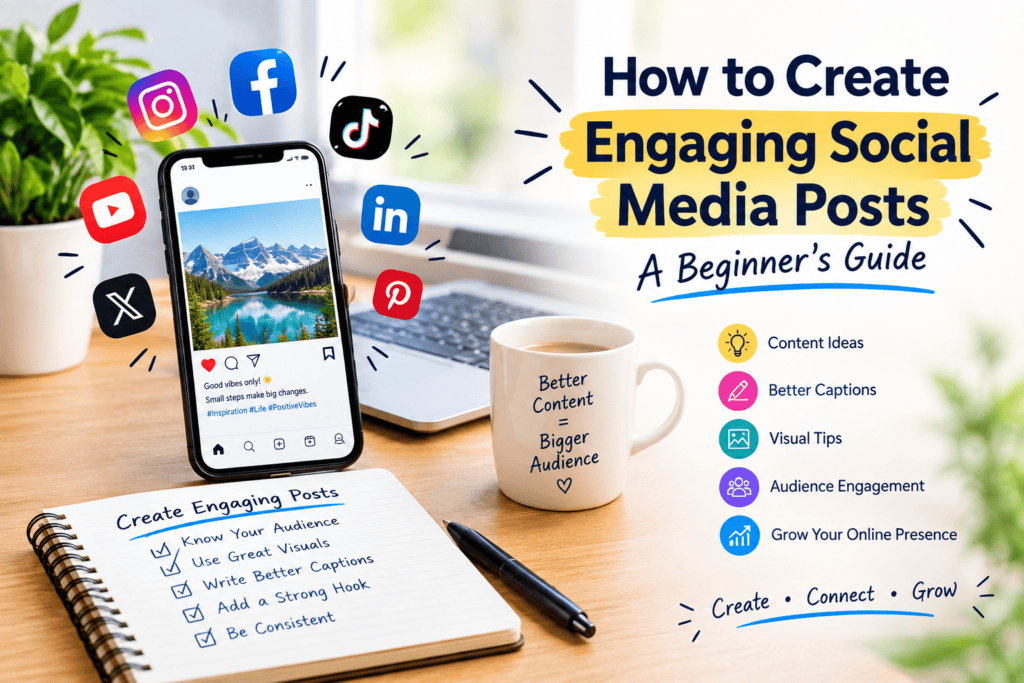
Social media has become one of the easiest ways for individuals, creators, bloggers, and small businesses to connect with an audience. But simply posting content is not enough. If you want people to stop scrolling, read your post, leave a comment, share your content, or follow your account, you need to create engaging social media posts.
The good news is that creating engaging content does not require expensive equipment or advanced marketing skills. With a clear strategy, useful ideas, attractive visuals, and consistent posting, beginners can improve their social media presence over time.
In this beginner-friendly guide, you will learn how to create engaging social media posts, what types of content work well, how to write better captions, how to use visuals, and how to improve engagement.
What Is an Engaging Social Media Post?
An engaging social media post is content that encourages people to pay attention and interact with it.
Engagement can include:
- Likes
- Comments
- Shares
- Saves
- Reposts
- Clicks
- Profile visits
- Follows
A good social media post should provide something valuable to the audience. That value could be information, entertainment, inspiration, a useful tip, a solution to a problem, or an opportunity to participate in a conversation.
For example, instead of posting:
“We sell fitness products.”
You could create a more useful post:
“Trying to build a simple home workout routine? Here are five beginner-friendly exercises you can do without expensive equipment.”
The second example gives users a reason to stop and read.
Why Engaging Social Media Content Matters
Millions of posts are published across social media platforms every day. Because users see so much content, getting attention can be difficult.
Engaging content can help you:
- Build an audience
- Increase brand awareness
- Generate website traffic
- Encourage conversations
- Build trust
- Promote products or services
- Strengthen your online presence
For small businesses and new creators, social media can also be a useful way to introduce their brand to potential customers.
However, engagement should not be the only goal. High-quality content should also be relevant to the audience and connected to the purpose of the account.
1. Know Your Target Audience
Before creating a social media post, understand who you are creating it for.
Ask yourself:
- Who is my target audience?
- What problems do they have?
- What information do they want?
- What type of content do they enjoy?
- What questions do they frequently ask?
- Which social media platforms do they use?
For example, a technology website might target students, professionals, and people interested in apps and AI tools.
A beauty account might focus on skincare beginners.
A small clothing business might target people interested in fashion and affordable outfits.
Understanding your audience makes it easier to create relevant content.
2. Choose a Clear Content Goal
Every post should have a purpose.
Your goal could be to:
- Educate your audience
- Entertain your followers
- Start a discussion
- Promote a product
- Increase website visits
- Build brand awareness
- Generate leads
- Encourage followers to save or share a post
Avoid trying to accomplish everything with one post.
For example, if your goal is website traffic, you can create an informative post and encourage readers to visit your website for the complete guide.
If your goal is engagement, you can end the post with a simple question.
3. Start With a Strong Hook
The first line of your social media post is extremely important.
People scroll quickly, so your opening should give them a reason to continue reading.
Some useful hook styles include:
Ask a Question
“Are you struggling to get engagement on Instagram?”
Share a Useful Tip
“Three simple changes can make your social media posts more interesting.”
Create Curiosity
“Most beginners make this mistake when creating social media content.”
Make a Clear Promise
“Here are seven easy ways to create better social media posts.”
Your hook should accurately represent the content that follows. Avoid misleading clickbait.
4. Keep Your Message Simple
You do not need complicated language to create good social media content.
Simple writing is often easier to understand, especially on mobile devices.
Instead of using long paragraphs, try:
- Short sentences
- Short paragraphs
- Bullet points
- Clear headings
- Simple vocabulary
For example:
Instead of:
“Businesses should consider implementing a comprehensive content development strategy that focuses on maximizing audience interaction.”
Try:
“Create useful content that gives your audience a reason to interact.”
The second version is easier to read.
5. Use High-Quality Visuals
Visual content can make your social media posts more noticeable.
Depending on the platform and your goals, you can use:
- Photos
- Graphics
- Infographics
- Short videos
- Carousels
- Screenshots
- Simple illustrations
Your visuals should support the message of your post.
For example, if you are sharing five skincare tips, you could create a simple graphic showing all five tips.
If you are promoting a product, use clear images that show the product from useful angles.
Avoid adding too much text to an image. Keep the design clean and easy to understand.
6. Write Better Social Media Captions
A caption gives context to your visual content.
A simple caption structure can be:
Hook → Value → Call to Action
For example:
Hook:
“Struggling to create social media content every day?”
Value:
“Try planning five simple content ideas at the beginning of each week. You can create educational posts, tips, questions, behind-the-scenes content, and short videos.”
Call to action:
“Which type of post do you enjoy creating the most?”
This structure is easy for beginners to use.
7. Use Storytelling
People often connect with stories because stories feel more personal and relatable.
Instead of only sharing facts, explain the experience behind them.
For example, a small business could share:
- How the business started
- A challenge the owner faced
- How a product was created
- A customer success story
- A lesson learned
- A behind-the-scenes moment
Storytelling can make your content feel less like advertising and more like a conversation.
8. Ask Questions
Questions are a simple way to encourage conversation.
Examples include:
- “What do you think?”
- “Which option would you choose?”
- “What is your biggest social media challenge?”
- “Which tip would you try first?”
- “What topic should we cover next?”
Make your questions easy to answer.
Instead of asking a complicated question, try something simple such as:
“Which social media platform do you use most?”
Simple questions can make it easier for followers to participate.
9. Create Educational Content
Educational posts can provide long-term value to your audience.
Some examples include:
- How-to guides
- Beginner tips
- Tutorials
- Checklists
- Mistakes to avoid
- Frequently asked questions
- Step-by-step instructions
- Industry tips
For example, a technology account could publish:
“5 Easy Ways to Free Up Storage on Your Phone.”
A social media marketing account could publish:
“7 Social Media Content Ideas for Small Businesses.”
The goal is to solve a real problem for your audience.
10. Use Different Types of Social Media Content
Posting the same type of content every day can become repetitive.
Try creating different content formats.
Educational Content
Teach your audience something useful.
Entertaining Content
Use humor, relatable situations, or interesting ideas.
Inspirational Content
Share positive stories, achievements, or lessons.
Promotional Content
Introduce products, services, offers, or new content.
Behind-the-Scenes Content
Show how your work or business operates.
User-Generated Content
Share appropriate content created by your customers or community, with permission where needed.
A combination of content types can make your social media feed more interesting.
11. Create Short-Form Video Content
Short videos have become an important part of social media content.
You do not always need expensive cameras or professional equipment.
Beginners can start with:
- A smartphone
- Good lighting
- Clear audio
- A simple background
- A short script
Video ideas include:
- Quick tutorials
- Tips
- Product demonstrations
- Frequently asked questions
- Before-and-after explanations where appropriate
- Behind-the-scenes clips
- Educational mini-guides
Focus on providing useful information rather than simply making a video because video is popular.
12. Use Hashtags Carefully
Hashtags can help categorize content on platforms that support them.
Instead of adding a large number of unrelated hashtags, choose hashtags that are genuinely relevant to your topic.
For example, a post about social media marketing might use relevant terms such as:
- #SocialMediaMarketing
- #ContentMarketing
- #SocialMediaTips
- #DigitalMarketing
- #ContentStrategy
The best hashtag strategy can vary by platform, so review the platform’s current features and recommendations.
13. Create Content People Want to Save
Some of the most useful social media posts are posts people want to return to later.
Examples include:
- Checklists
- Step-by-step guides
- Tutorials
- Lists of tools
- Tips
- Templates
- Quick reference guides
For example:
“10 Social Media Content Ideas You Can Save for Later.”
This gives the audience a practical reason to keep the post.
14. Encourage Shares
Shareable content can help your post reach people beyond your existing followers.
Content is more likely to be shared when it is:
- Useful
- Relevant
- Entertaining
- Relatable
- Educational
- Easy to understand
You can also use a natural call to action such as:
“Save this guide for later.”
or
“Share this with someone who is starting a social media page.”
Make sure the request fits the content rather than adding unnecessary engagement prompts.
15. Be Consistent
Consistency is important when building a social media presence.
You do not necessarily need to post several times every day.
Instead, create a realistic schedule that you can maintain.
For example:
Monday: Educational tip
Tuesday: Short video
Wednesday: Question or discussion post
Thursday: Useful checklist
Friday: Behind-the-scenes content
Saturday: Helpful recommendation
Sunday: Weekly recap
The exact schedule can be adjusted based on your audience and available time.
16. Use a Social Media Content Calendar
A content calendar can make social media management easier.
Create a simple spreadsheet with columns such as:
| Date | Topic | Content Type | Platform | Caption | Status |
|---|---|---|---|---|---|
| Monday | Social Media Tips | Carousel | Ready | Published | |
| Tuesday | Content Ideas | Video | Draft | Pending | |
| Wednesday | Marketing Question | Text | Ready | Scheduled |
A calendar helps prevent last-minute posting and gives you a clearer view of your content strategy.
17. Learn From Your Analytics
Do not create content blindly.
Use the analytics provided by the social platform to understand how your audience responds.
Depending on the platform, you may be able to review metrics such as:
- Reach
- Impressions
- Engagement
- Video views
- Link clicks
- Saves
- Shares
- Follower growth
Look for patterns.
For example, if educational posts consistently receive more saves than promotional posts, you may want to create more useful educational content.
Remember that analytics should be viewed over time rather than judging your entire strategy from one post.
18. Avoid Common Social Media Mistakes
Beginners often make a few common mistakes.
Posting Without a Strategy
Posting random content can make your account difficult to understand.
Making Every Post an Advertisement
People may lose interest if every post asks them to buy something.
Using Poor-Quality Images
Blurry or unclear visuals can reduce the professionalism of your content.
Ignoring Comments
If people take the time to comment, responding can help create a stronger community.
Copying Other Creators
Use successful content as inspiration, but create your own original ideas and presentation.
Using Clickbait
A misleading headline may attract attention temporarily but can reduce trust.
19. Respond to Your Audience
Social media should be social.
When people comment on your content, respond when appropriate.
You can:
- Answer questions
- Thank people for feedback
- Ask follow-up questions
- Clarify information
- Continue useful discussions
For businesses, responding to customers can also provide useful information about common questions and problems.
Those questions can become future content ideas.
20. Repurpose Your Best Content
You do not always need to create completely new content.
One useful blog post can become several social media posts.
For example, a blog post called:
“10 Ways to Improve Your Social Media Marketing”
could become:
- A carousel with 10 tips
- A short video
- Five separate posts
- A checklist
- A question post
- An infographic
- A discussion topic
Repurposing content can save time while allowing you to reach people who prefer different formats.
21. Follow Social Media Trends Carefully
Social media trends can provide content opportunities, but you should not follow every trend.
Before using a trend, ask:
- Is it relevant to my audience?
- Does it fit my brand?
- Can I add something useful?
- Will it make sense to my followers?
A trend is more useful when you can connect it naturally to your niche.
22. Focus on Value Instead of Just Likes
Likes are only one measurement.
A useful post might receive fewer likes but generate saves, shares, clicks, or meaningful comments.
For example, a detailed tutorial might not receive huge numbers of likes, but people may save it because they want to use it later.
That is why you should look at several metrics when evaluating your content.
23. Simple Formula for Creating an Engaging Social Media Post
If you are completely new to social media content creation, use this simple formula:
Step 1: Identify a Problem
Find something your audience wants help with.
Step 2: Create a Hook
Write one sentence that makes the topic clear and interesting.
Step 3: Provide Value
Give practical information, tips, examples, or solutions.
Step 4: Add a Visual
Use an image, graphic, carousel, or video that supports the message.
Step 5: Add a Call to Action
Ask the audience to comment, save, share, visit your website, or learn more when appropriate.
Step 6: Review Before Publishing
Check spelling, links, visuals, formatting, and accuracy.
This simple process can help beginners create better social media posts consistently.
24. Example of an Engaging Social Media Post
Here is a simple example for a small business:
Hook:
“Not sure what to post on social media this week?”
Value:
“Try these five content ideas:
- Share one useful tip.
- Answer a customer question.
- Show a behind-the-scenes moment.
- Share a quick tutorial.
- Ask your followers a simple question.”
Call to action:
“Save this list and use one idea each day.”
This post is simple, useful, and easy to understand.
25. How Beginners Can Improve Their Social Media Content
Improving your social media content takes practice.
Start by creating content regularly and reviewing the results.
You can improve by:
- Studying your analytics
- Testing different hooks
- Trying different formats
- Asking your audience questions
- Improving your visuals
- Writing shorter captions
- Creating more educational content
- Testing different posting schedules
- Learning from audience feedback
Do not expect every post to perform equally well.
Instead, use each post as an opportunity to learn.
Frequently Asked Questions
What makes a social media post engaging?
A social media post is more likely to be engaging when it is relevant, useful, easy to understand, visually appealing, and encourages meaningful interaction.
How do beginners create social media content?
Beginners can start by choosing a target audience, selecting a topic, writing a clear message, adding a suitable visual, and including a relevant call to action.
What should I post on social media?
You can post educational tips, tutorials, questions, short videos, behind-the-scenes content, useful lists, industry information, and relevant promotional content.
How often should I post on social media?
There is no single posting frequency that works for every account. Choose a schedule you can maintain consistently and use analytics to understand what works for your audience.
How can I increase social media engagement?
Focus on useful and relevant content, strong hooks, clear visuals, conversations, consistent publishing, and learning from analytics.
Are hashtags still useful?
Hashtag usefulness varies by platform and can change over time. Use relevant hashtags where they help categorize or discover your content, rather than adding unrelated hashtags.
Should every social media post promote my product?
No. A balanced strategy can include educational, entertaining, community-focused, and promotional content. Providing value can help build trust with your audience.
Final Thoughts
Creating engaging social media posts does not have to be complicated. The most important step is understanding your audience and creating content that provides a genuine reason to stop, read, watch, save, share, or participate.
Start with simple topics, strong hooks, useful information, clear visuals, and consistent publishing. Track your results and gradually improve your strategy based on what your audience responds to.
Whether you are a beginner, blogger, creator, or small business owner, a consistent approach to social media content creation can help you build a stronger online presence over time.
The goal is not simply to post more. The goal is to create better content for the people you want to reach.