
Artificial intelligence is becoming a useful part of everyday student life. From researching topics and organizing notes to improving writing and understanding difficult concepts, AI tools can help students save time and learn more efficiently.
The good news is that students do not always need expensive subscriptions. Many AI platforms offer free plans or useful features at no cost.
In this guide, we’ll look at some of the best free AI tools for students in 2026, what each tool can do, and how students can use AI responsibly for school, college, and personal learning.
What Are AI Tools for Students?
AI tools are software applications that use artificial intelligence to help users perform tasks such as writing, research, brainstorming, summarizing, studying, creating presentations, and organizing information.
For students, these tools can be useful for:
- Understanding difficult subjects
- Creating study notes
- Brainstorming ideas
- Improving writing
- Learning new concepts
- Practicing questions
- Organizing study schedules
- Creating presentations
- Summarizing information
- Checking grammar and clarity
However, AI should be treated as a learning assistant, not as a replacement for studying or independent thinking.
1. ChatGPT
OpenAI’s ChatGPT is one of the most versatile AI tools available to students.
Students can use it to explain complicated topics in simpler language, brainstorm ideas, create study questions, summarize notes, and practice concepts.
How Students Can Use ChatGPT
For example, instead of simply asking:
“Explain photosynthesis.”
A student can ask:
“Explain photosynthesis like I’m a beginner and give me five practice questions.”
This can make the learning process more interactive.
Useful Student Tasks
ChatGPT can help with:
- Brainstorming
- Study explanations
- Practice questions
- Research planning
- Writing improvement
- Coding practice
- Language learning
- Creating study guides
Students should still verify important information because AI-generated answers can sometimes contain mistakes.
2. Google Gemini
Google Gemini is another useful AI assistant for students.
It can help students brainstorm ideas, explain concepts, summarize information, and work with Google’s ecosystem of tools.
Students who already use services such as Google Docs, Google Drive, and other Google products may find Gemini particularly useful for everyday schoolwork.
Ways Students Can Use Gemini
Students can use an AI assistant like Gemini to:
- Brainstorm essay topics
- Understand difficult concepts
- Create revision questions
- Summarize information
- Generate ideas for presentations
- Improve the clarity of writing
The important thing is to use generated material as a starting point and check important facts independently.
3. Microsoft Copilot
Microsoft Copilot can also be useful for students who regularly work with Microsoft products.
Students can use AI assistance for brainstorming, writing, research-related tasks, and organizing information.
For example, a student preparing a presentation could ask for:
- Presentation topic ideas
- A basic outline
- Questions the audience might ask
- A simple explanation of the subject
The student can then research the topic and create their own final presentation.
4. Grammarly
Grammarly is well known for helping users improve their writing.
For students, writing tools can be useful when preparing:
- Essays
- Emails
- Reports
- Applications
- Assignments
- Research drafts
Grammar and spelling mistakes can make otherwise good writing harder to understand. An AI-powered writing assistant can help identify areas that need improvement.
However, students should learn from corrections instead of simply accepting every suggestion.
5. QuillBot
QuillBot provides writing and paraphrasing features that can help students improve the clarity of their drafts.
For example, if a sentence is difficult to understand, students can use a writing tool to explore clearer wording.
It can be particularly useful for students who are learning English as an additional language.
Important Tip
Paraphrasing does not remove the need to properly cite sources. Students should always follow their school’s academic integrity and citation requirements.
6. Perplexity
Perplexity combines AI-generated answers with web-based information and sources.
This can make it useful for students who are beginning research on a topic.
For example, a student researching climate technology could use an AI search tool to discover:
- Important concepts
- Relevant organizations
- Recent developments
- Potential research directions
- Sources for further reading
Students should open and evaluate the original sources rather than relying entirely on an AI-generated summary.
7. Canva AI
Canva is popular for presentations, posters, social graphics, and other visual projects.
Its AI-powered features can help students generate ideas and create designs more efficiently.
Students Can Use Canva For
- School presentations
- Posters
- Infographics
- Project covers
- Study diagrams
- Social media projects
- Visual reports
A well-designed visual presentation can make information easier for an audience to understand.
8. NotebookLM
Google NotebookLM is designed around working with source material.
Students can use tools in this category to organize information from their own study materials and ask questions about those materials.
This can be useful when working with:
- Class notes
- Study guides
- PDFs
- Research documents
- Course materials
Instead of asking a general AI tool about an entire subject, students can work from their own materials and use AI to help understand them.
9. Otter.ai
Otter.ai provides transcription features that can turn spoken content into text.
For students, transcription can be useful for organizing interviews, meetings, or permitted educational recordings.
For example, a student working on a project could use transcription to make a written record of an interview and then organize the important points.
Students should always follow school rules and obtain any required permission before recording people.
10. Wolfram Alpha
Wolfram Alpha can be useful for mathematics, science, and computational questions.
Rather than only giving students a final result, students can use computational tools as part of understanding mathematical concepts and checking their work.
For example, students may use such tools when studying:
- Algebra
- Calculus
- Statistics
- Physics
- Chemistry
- Mathematics
The best approach is to understand why an answer is correct rather than simply copying it.
How to Choose the Right AI Tool
There are many AI tools available, so students do not need to use all of them.
Choose a tool according to the task.
| Student Task | Useful AI Tool Type |
|---|---|
| Understanding a difficult topic | AI chatbot |
| Writing improvement | Grammar/writing assistant |
| Research starting point | AI search tool |
| Presentations | Design/AI presentation tool |
| Notes and documents | AI note-taking tool |
| Mathematics | Computational AI |
| Transcription | AI transcription tool |
| Brainstorming | General AI assistant |
The best tool depends on the student’s specific needs.
Benefits of AI Tools for Students
1. Save Time
AI can help students organize information quickly.
For example, instead of spending a long time creating a basic study outline, students can generate an initial structure and then improve it themselves.
2. Personalized Explanations
One student may understand a technical explanation while another may need a simple example.
AI tools can often explain the same concept in different ways.
3. Better Organization
Students can use AI to turn large amounts of information into:
- Bullet points
- Study guides
- Questions
- Topic lists
- Revision plans
4. Writing Support
AI writing tools can help students identify grammar problems, unclear sentences, and areas where their writing could be more readable.
5. Interactive Learning
Instead of simply reading notes, students can ask questions and practice concepts interactively.
How to Use AI Responsibly as a Student
AI can be extremely useful, but students should use it carefully.
Don’t Copy AI Answers Directly
If an assignment requires your own work, submitting AI-generated content as your own may violate school or college rules.
Verify Important Information
AI systems can sometimes provide incorrect or outdated information.
Check important facts against reliable sources.
Protect Personal Information
Avoid entering sensitive personal information, passwords, private school records, or confidential documents into AI services unless you understand the service’s privacy practices and are permitted to do so.
Follow Your School’s AI Policy
Different schools, teachers, and universities may have different rules about AI.
Always follow the requirements for the specific assignment.
AI Tools Should Support Learning, Not Replace It
One of the biggest mistakes students can make is using AI simply to avoid learning.
For example, asking AI to solve every homework problem may produce an answer quickly, but it does not necessarily help the student understand the subject.
A better approach is to use AI as a tutor.
Ask:
“Explain how to solve this problem and show me the reasoning.”
Then try a similar problem yourself.
This approach can turn AI from an answer generator into a learning assistant.
Tips for Getting Better Results From AI
The quality of an AI response often depends on how clearly you describe what you need.
Instead of:
“Explain history.”
Try:
“Explain the main causes of the Industrial Revolution in simple language for a high-school student. Give five key points and a short quiz at the end.”
A detailed prompt gives the AI more context.
You can include:
- Your education level
- Subject
- Topic
- Desired difficulty
- Preferred format
- Number of examples
- Learning goal
Final Thoughts
The best free AI tools for students in 2026 are not necessarily the tools with the most features. The most useful tool is the one that helps a student understand information, organize their work, and become more independent.
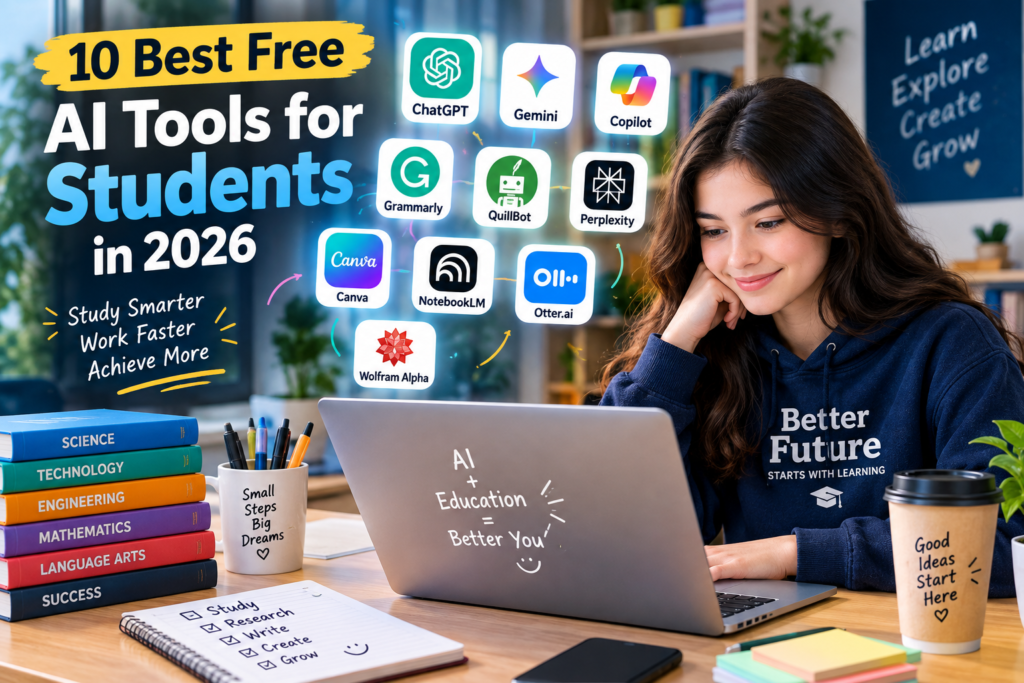
Tools such as ChatGPT, Gemini, Copilot, Grammarly, QuillBot, Perplexity, Canva, NotebookLM, Otter.ai, and Wolfram Alpha can support different parts of the student learning process.
The key is to use AI responsibly: learn from the answer, verify important information, protect your privacy, and follow your school’s academic policies.
AI is most valuable when it helps students learn better—not simply finish work faster.