
Artificial intelligence is changing the way people work, study, and manage their daily activities. In 2026, AI tools have become useful for students, professionals, business owners, content creators, and freelancers who want to save time and complete tasks more efficiently.
The good news is that you do not always need to pay for expensive software to benefit from artificial intelligence. Many AI platforms offer free plans that provide useful features for writing, research, designing, organizing tasks, and improving productivity.
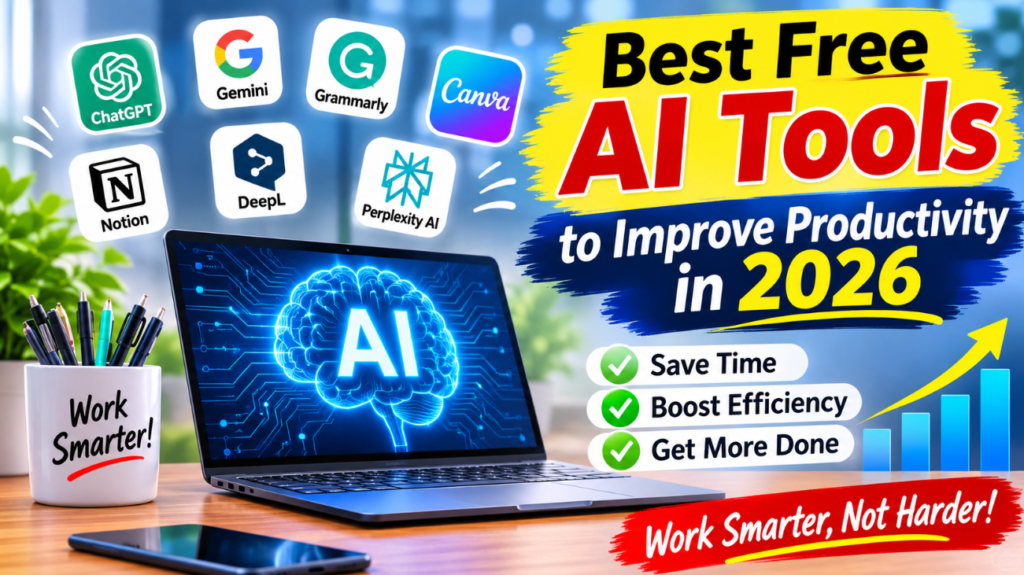
In this guide, we will explore some of the best free AI tools to improve productivity in 2026 and explain how you can use them in your everyday life.
1. ChatGPT – Best AI Tool for Everyday Tasks
ChatGPT is one of the most popular AI assistants for completing everyday tasks. It can help users generate ideas, write content, summarize information, explain difficult topics, and solve problems.
Students can use ChatGPT to understand lessons, while professionals can use it to prepare emails, reports, and presentations.
Key Features:
- Generate ideas and written content.
- Summarize long documents.
- Explain complex topics.
- Help with coding and research.
- Create plans and task lists.
ChatGPT offers a free plan, making it a useful starting point for people who want to explore AI-powered productivity.
2. Google Gemini – Best for Research and Information
Google Gemini is an AI assistant that helps users find information, understand topics, generate ideas, and complete different tasks.
It can assist with brainstorming, writing, summarizing, and learning new skills. Its integration with Google’s ecosystem can also make it useful for people who already work with Google services.
Key Features:
- Answer questions and explain concepts.
- Help with writing and editing.
- Generate creative ideas.
- Summarize information.
- Assist with everyday research.
Gemini provides free access with usage limits that may vary by feature and account.
3. Grammarly – Best AI Writing Assistant
Grammarly is a helpful writing assistant for students, bloggers, professionals, and anyone who communicates online.
It checks grammar, spelling, punctuation, and writing clarity. Its AI features can also help improve sentences and adjust writing tone.
Key Features:
- Correct grammar and spelling mistakes.
- Improve sentence clarity.
- Suggest better word choices.
- Help create professional emails.
- Improve overall writing quality.
Grammarly offers a free plan with basic writing assistance, while some advanced features require a paid subscription.
4. Canva – Best for AI Graphic Design
Canva is a popular design platform that makes it easier to create professional-looking graphics without advanced design skills.
Users can create blog cover images, social media posts, presentations, posters, and marketing materials. Canva also provides AI-powered design features through its Magic Studio tools, although availability and usage limits depend on the plan.
Key Features:
- Create social media graphics.
- Design blog cover images.
- Make presentations.
- Use ready-made templates.
- Explore AI-powered design features.
For bloggers and content creators, Canva can save considerable time when preparing visual content.
5. Notion AI – Best for Organizing Work
Notion is a productivity platform used to organize notes, projects, tasks, and important information.
Its AI features can help users summarize notes, generate ideas, improve writing, and organize information. However, AI access may be limited or require a paid plan depending on the current offer.
Key Features:
- Organize daily tasks.
- Manage projects.
- Create notes and documents.
- Summarize information.
- Plan content calendars.
Notion is especially useful for freelancers, students, and small teams who want to keep their work organized.
6. DeepL – Best for Translation and Writing
DeepL is an AI-powered translation platform that helps people translate text between different languages.
It can be useful for students, international businesses, bloggers, and professionals who communicate with people around the world.
Key Features:
- Translate text between languages.
- Improve translated sentences.
- Support multilingual communication.
- Help understand foreign-language content.
DeepL offers free translation access with usage restrictions, while additional features are available through paid plans.
7. Perplexity AI – Best for AI-Powered Research
Perplexity AI is a research-focused AI search platform that provides answers with links to supporting sources.
Instead of manually opening numerous webpages, users can ask questions and receive organized answers with references.
Key Features:
- Research different topics.
- Find supporting sources.
- Summarize information.
- Explore related questions.
- Support learning and research activities.
Its free plan makes it a useful option for people who regularly search for information online.
8. Otter.ai – Best for Meeting Notes
Otter.ai is an AI-powered transcription tool that can convert spoken conversations into written notes.
It can be helpful for students attending online lectures, professionals participating in meetings, and teams that need organized conversation records.
Key Features:
- Transcribe supported audio conversations.
- Generate meeting summaries.
- Identify important discussion points.
- Organize meeting notes.
- Help users review conversations.
Otter.ai provides a free plan with limited transcription usage.
9. Microsoft Copilot – Best for Everyday Assistance
Microsoft Copilot is an AI assistant that helps users with writing, brainstorming, information searches, and everyday productivity tasks.
It can help create drafts, explain concepts, generate ideas, and simplify complicated information.
Key Features:
- Generate written content.
- Brainstorm creative ideas.
- Summarize information.
- Answer everyday questions.
- Assist with planning and learning.
Copilot offers free access to selected features, while some advanced capabilities require a subscription.
10. QuillBot – Best for Paraphrasing and Summarizing
QuillBot is an AI-powered writing platform that helps users rewrite sentences, summarize content, and improve written communication.
It can be useful for bloggers, students, and professionals who want to make their writing clearer and easier to understand.
Key Features:
- Paraphrase sentences.
- Summarize long text.
- Check grammar.
- Improve sentence structure.
- Find alternative expressions.
QuillBot offers free tools with usage limits, while premium plans provide additional features.
How to Choose the Right Free AI Tool
Choosing the right AI tool depends on your goals and daily activities. Before selecting a platform, consider what kind of work you want to improve.
Here are some simple recommendations:
- For writing: ChatGPT and Grammarly.
- For research: Perplexity AI and Google Gemini.
- For graphic design: Canva.
- For task management: Notion.
- For translation: DeepL.
- For meeting notes: Otter.ai.
- For paraphrasing: QuillBot.
You do not need to use every AI tool. Start with one or two platforms that solve your biggest productivity problems.
Tips to Improve Productivity With AI Tools
Using AI tools effectively requires more than simply entering questions. Follow these practical tips to get better results:
- Set clear goals: Decide what task you want AI to help you complete.
- Write specific prompts: Give clear instructions and useful context.
- Save time on repetitive tasks: Use AI for brainstorming, summaries, and first drafts.
- Check AI-generated information: Always verify important facts before publishing or sharing.
- Protect personal information: Avoid entering passwords, private business information, or sensitive data.
- Keep learning: Explore new features and improve your AI skills over time.
Remember that AI should support your work rather than replace your own thinking and judgment.
Conclusion
Free AI tools have made productivity easier and more accessible in 2026. Whether you are a student, blogger, freelancer, or business owner, platforms such as ChatGPT, Google Gemini, Grammarly, Canva, and Perplexity AI can help you complete everyday tasks more efficiently.
The best approach is to choose tools according to your needs, explore their free features, and use them consistently. With the right AI tools and smart working habits, you can save time, improve your workflow, and focus on more important activities.
Start with one free AI tool today and discover how artificial intelligence can make your daily work easier.