
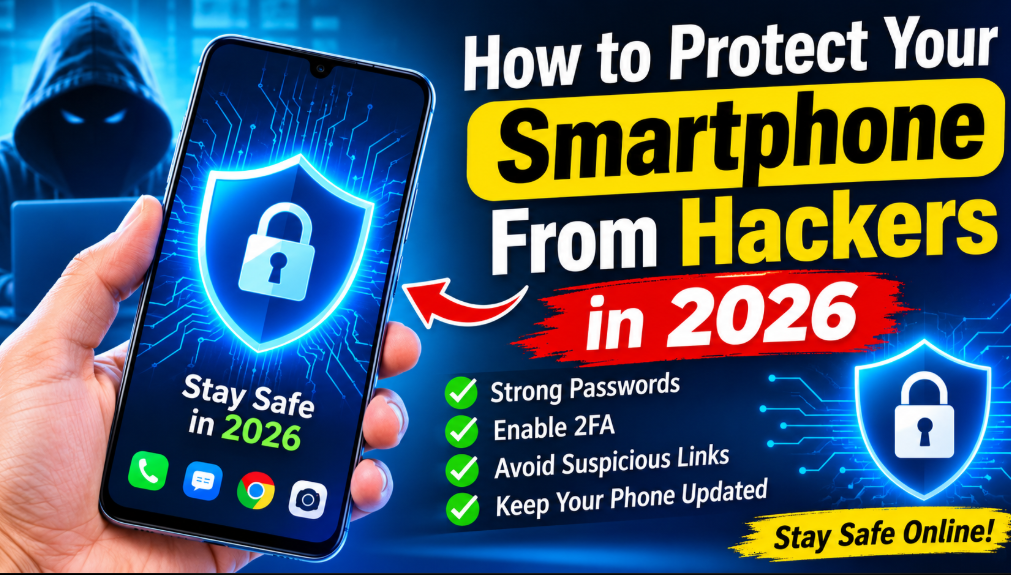
Smartphones have become an essential part of modern life. From online banking and shopping to social media and personal communication, people depend on their mobile devices for almost everything. However, as smartphone usage continues to grow, online security threats are also becoming more common.
Hackers and cybercriminals use different techniques to access personal information, steal passwords, monitor online activities, and attack digital accounts. A smartphone without proper security settings can become an easy target.
In 2026, protecting your smartphone is not just about installing antivirus software. It is about developing safe digital habits, understanding online threats, and using the security features already available on your device.
Whether you use an Android phone or an iPhone, this guide explains practical ways to protect your smartphone from hackers and keep your personal information secure.
Why Is Smartphone Security Important in 2026?
Your smartphone contains a large amount of private information. It may include personal photographs, banking applications, emails, saved passwords, business documents, and social media accounts.
If cybercriminals gain unauthorized access to your device or online accounts, they may misuse this information for financial fraud, identity theft, or other harmful activities.
Some common smartphone security threats include:
- Phishing messages and fraudulent websites.
- Fake applications containing malicious software.
- Password theft and account hacking.
- Unsecured public Wi-Fi networks.
- Spyware and other malicious programs.
- SIM-swapping and verification-code scams.
- Data theft through suspicious downloads.
Understanding these threats is the first step toward improving your smartphone security.
1. Create Strong Passwords for Your Accounts
Using weak passwords is one of the biggest mistakes smartphone users make. Simple passwords are easier for criminals to guess, especially when people reuse the same password across multiple accounts.
Create a unique and strong password for every important account.
A good password should contain a combination of uppercase letters, lowercase letters, numbers, and special characters. You can also use a reputable password manager to create and store complex passwords.
Avoid using personal information such as your name, birthday, phone number, or simple number combinations.
Remember that protecting your email account is particularly important because it is often used to recover access to other online services.
2. Keep Your Smartphone Software Updated
Software updates are essential for smartphone security. Companies regularly release operating system updates and security patches to fix vulnerabilities and improve device protection.
When you ignore these updates, your smartphone may remain exposed to security weaknesses that attackers know how to exploit.
To improve your security:
- Check for system updates regularly.
- Enable automatic updates when available.
- Install security patches promptly.
- Update applications through official stores.
- Avoid using unsupported devices for sensitive activities.
Both Android and iOS devices benefit from regular software updates.
3. Download Applications From Official Stores
Unknown applications can create serious security risks. Some fake applications are designed to look like legitimate tools while secretly collecting personal information or displaying harmful advertisements.
Always download applications from trusted sources, such as Google Play Store and Apple App Store.
Before installing an application, check its developer, reviews, permissions, and privacy information.
Be especially careful with APK files downloaded from unknown websites. An application should not be trusted simply because it looks professional.
If you no longer use an application, uninstall it to reduce unnecessary access to your information.
4. Enable Two-Factor Authentication
Two-factor authentication adds another security layer to your online accounts.
Instead of relying only on a password, this feature requires an additional verification step when someone attempts to sign in.
For example, you may need to approve a login request, enter a verification code, or use an authenticator application.
Enable two-factor authentication on:
- Google and email accounts.
- Facebook and Instagram.
- Banking and financial applications.
- Apple accounts.
- Important shopping accounts.
Whenever possible, choose passkeys or authenticator applications rather than relying only on SMS verification.
This makes it harder for someone to access your accounts even if your password becomes compromised.
5. Avoid Suspicious Links and Messages
Phishing is a common technique used by cybercriminals to steal personal information.
You might receive a message claiming that your bank account has been suspended, a delivery is waiting, or you have won a valuable prize.
These messages may contain links to fake websites designed to collect your passwords or financial details.
Before clicking any link, verify the sender and check the website address carefully.
Never enter sensitive information on websites you do not trust. If a message creates unnecessary urgency, treat it with suspicion.
When in doubt, open the official application or website yourself instead of following the link in the message.
6. Be Careful When Using Public Wi-Fi
Public Wi-Fi is available in many hotels, restaurants, airports, and shopping centers. Although convenient, unsecured networks can expose users to certain security risks.
Criminals may create fake Wi-Fi hotspots or attempt to intercept information transmitted over poorly secured connections.
Follow these precautions:
- Avoid accessing sensitive financial accounts on untrusted networks.
- Disable automatic connections to unknown Wi-Fi networks.
- Use HTTPS websites.
- Consider a reputable VPN when using public networks.
- Disconnect when you finish using public Wi-Fi.
For sensitive activities, a trusted mobile data connection is often a safer choice.
7. Review Your Smartphone App Permissions
Many applications request access to your camera, microphone, contacts, photos, and location.
However, some applications request more permissions than they actually need.
For example, a simple flashlight application should not normally require access to your contacts or messages.
Review your privacy settings and remove unnecessary permissions.
On Android, you can usually find these options under Settings and Privacy or Permission Manager.
On iPhone, open Settings and select Privacy and Security.
Check which applications can access sensitive features and restrict access whenever it is unnecessary.
8. Protect Your Smartphone With a Screen Lock
A strong screen lock can protect your personal information if your phone is lost or stolen.
Avoid using predictable PINs such as 1234 or 0000.
Instead, use a strong PIN or password and enable fingerprint or facial recognition if supported by your device.
You should also configure automatic screen locking so that your phone does not remain unlocked when you leave it unattended.
These simple settings provide an important layer of physical security.
9. Enable Lost Device Protection
Losing your smartphone can put your personal information at risk.
Fortunately, Android and iPhone devices provide built-in features that help users locate and secure missing phones.
Android users can use Google’s Find Hub, while iPhone users can use Apple’s Find My service.
Depending on the device and settings, these features can help you locate your phone, lock it remotely, or erase its data.
Set up these features before your phone goes missing. Also, secure your associated Google or Apple account with strong authentication.
10. Back Up Your Important Information
Smartphone security also involves protecting your information against accidental loss.
Your phone may become damaged, stolen, or infected with malicious software. Without a backup, recovering important photographs, contacts, and documents can be difficult.
Use trusted backup services such as Google One, Google Photos, or Apple iCloud.
Create a regular backup schedule and check that your files are being saved correctly.
Make sure your backup account is protected with a strong password and additional authentication.
11. Avoid Sharing Personal Information Online
Sharing too much personal information on social media can increase privacy risks.
Cybercriminals may use publicly available information to guess passwords, create convincing scams, or impersonate individuals.
Avoid publicly sharing sensitive details such as your home address, financial information, private documents, or verification codes.
Review your social media privacy settings and limit who can see your personal information.
Be careful when accepting friend requests or responding to messages from unknown accounts.
12. Use Trusted Security Applications
A reputable mobile security application may provide additional protection against certain malicious websites, unsafe downloads, and suspicious applications.
However, not every application advertised as an antivirus tool is trustworthy.
Research the developer before installing security software. Download it only from an official store or the provider’s verified website.
Avoid applications that promise unrealistic protection or request unnecessary permissions.
Remember that no security application can guarantee complete protection. Regular updates and responsible browsing habits remain essential.
What to Do If You Suspect Your Smartphone Has Been Hacked
If you notice unusual account activity or unfamiliar applications, take the situation seriously.
Unexpected login notifications, unknown transactions, and suspicious account changes may indicate unauthorized access.
Consider taking these steps:
- Use a trusted device to change compromised account passwords.
- Review recent account activity and remove unfamiliar login sessions.
- Enable two-factor authentication.
- Remove suspicious applications.
- Update your smartphone software.
- Contact your bank if you notice unauthorized transactions.
- Contact your mobile network provider if you suspect SIM-swapping.
- Seek professional technical assistance if suspicious activity continues.
Do not immediately assume every unusual battery or performance problem means your phone has been hacked. Investigate the symptoms carefully.
Android vs iPhone: Which Is Safer From Hackers?
Both Android and iPhone devices offer important security features, but their approaches are different.
Android provides security tools such as Google Play Protect, app permissions, security updates, and account protection features.
Apple offers features such as Face ID, security updates, App Store review processes, and advanced privacy controls.
Neither platform is completely immune to cyberattacks.
The actual security of your device depends on its software version, configuration, applications, account protection, and your online habits.
The best smartphone is one that receives security updates and is used responsibly.
Frequently Asked Questions
1. Can hackers access my smartphone without touching it?
Yes. Certain attacks can exploit software vulnerabilities, malicious links, or compromised applications. Keeping your device updated and avoiding suspicious content can reduce these risks.
2. How can I protect my Android phone from hackers?
Install security updates, enable Google Play Protect, use strong passwords, download trusted applications, and activate two-factor authentication.
3. Is iPhone completely safe from hackers?
No smartphone is completely immune to cyberattacks. iPhones include several security and privacy features, but users still need to follow safe digital practices.
4. Does turning off Bluetooth improve smartphone security?
Turning off Bluetooth when it is not needed can reduce unnecessary wireless exposure. It is a useful security habit, although it does not guarantee complete protection.
5. Should I use a VPN on my smartphone?
A reputable VPN can help protect your internet traffic on certain untrusted networks. However, it does not prevent phishing, malicious applications, or every other type of cyberattack.
6. How often should I update my smartphone?
Install operating system and security updates whenever they become available. Also keep your applications updated through official app stores.
Conclusion
Protecting your smartphone from hackers in 2026 requires awareness, consistency, and responsible online behavior.
From creating strong passwords and enabling two-factor authentication to reviewing app permissions and avoiding suspicious links, every security step makes a difference.
Your smartphone contains valuable personal information, so you should never ignore its security.
Start applying these practices today, keep your software updated, and make smartphone privacy part of your everyday digital routine.
A secure smartphone helps you enjoy modern technology with greater confidence and peace of mind.